| .. | ||
| cpp | ||
| model | ||
| py | ||
| README.md | ||
| result.jpg | ||


blazepose_landmark
1.Overview
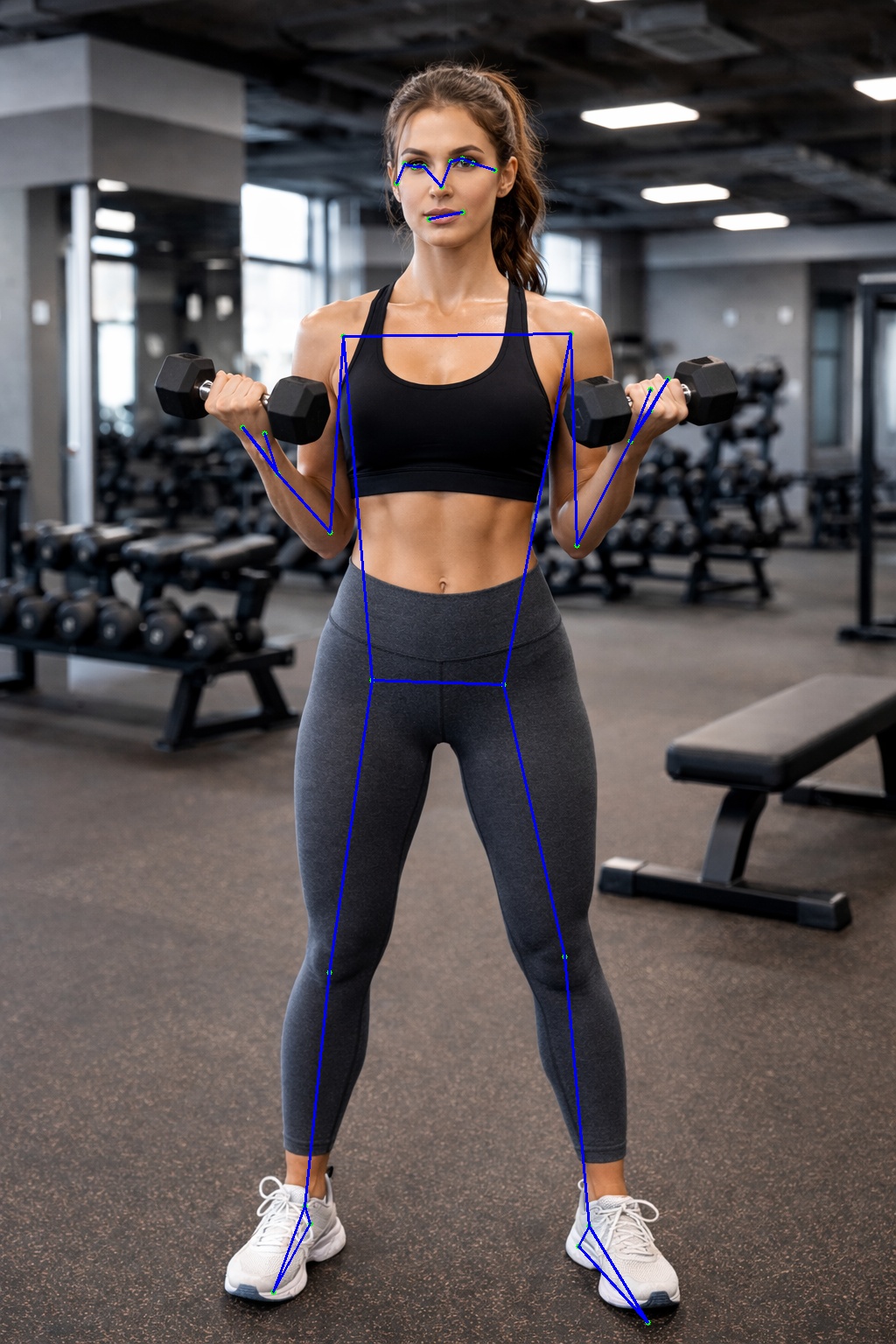
BlazePose Landmark builds upon the detected ROI to predict 33 precise body keypoints, enabling full-body pose estimation with high accuracy and temporal stability. Its efficient design makes it suitable for applications such as fitness tracking, motion analysis, augmented reality, and real-time human–computer interaction.
2.Model Download
-
Open Source model
-
Open Source projects: https://github.com/google-ai-edge/mediapipe/tree/master
-
Download weights
wget https://storage.googleapis.com/mediapipe-assets/pose_landmark_full.tflite
-
3. Model Conversion
cd model
Usage:   ./adla_convert.sh model_path adla_toolkit_path target_platform

example
 ./adla_convert.sh pose_detection.tflite /xxxx/adla-toolkit-binary-3.2.9.3 PRODUCT_PID0XA005
 ./adla_convert.sh pose_detection.tflite /xxxx/adla-toolkit-binary-3.2.9.3 PRODUCT_PID0XA005
 ./adla_convert.sh pose_detection.tflite /xxxx/adla-toolkit-binary-3.2.9.3 PRODUCT_PID0XA005
| Parameter | Description |
|---|---|
| model_path | onnx model path |
| adla_toolkit_path | path to adla_toolkit |
| target_platform | Specify target platform. for A311D2: PRODUCT_PID0XA003. for S905X5: PRODUCT_PID0XA005 |
4. Demo Run
CPP
1. Compile
Prerequisites:
- Android NDK (r25e recommended)
ANDROID_NDK_PATHenvironment variable set
Build:
# Build for arm64-v8a
cd examples/blazepose_landmark/cpp
./build-android.sh -a arm64-v8a
The executable will be generated at build/android/blazepose_landmark_demo (Note: executable name may vary, verify in build folder).
2. Run
# Push executable to device
adb push build/android/blazepose_landmark_demo /data/local/tmp/
adb push model/blazepose_landmark_full_int16_A311D2.adla /data/local/tmp/
adb push test_image.jpg /data/local/tmp/

# Run on device
adb shell
cd /data/local/tmp
chmod +x blazepose_landmark_demo
export LD_LIBRARY_PATH=/vendor/lib64 or (/vendor/lib)

# Usage: ./blazepose_landmark_demo <model_path> <image_path>
./blazepose_landmark_demo blazepose_landmark_full_int16_A311D2.adla test_image.jpg"
Note: Replace blazepose_landmark_full_int16_A311D2.adla with your actual model file path.
Python
Prerequisites:
- Python 3.10
- Required packages:
numpy,opencv-python,amlnnlite
Install dependencies:
pip install numpy opencv-python amlnnlite-1.0.0-cp310-cp310-linux_aarch64.whl
Run on device:
python blazepose_landmark.py --model-path ./blazepose_landmark_full_int16_A311D2.adla
The script will automatically process all image files (.jpg, .jpeg, .png, .bmp) in the current directory and save results to a {model_name}_result folder.
5.Results
The program will print the detection count and inference time. The result image with bounding boxes will be saved to the specified output path (result.jpg by default).
You can pull the result image back to view it:
adb pull result.jpg.