| .. | ||
| cpp | ||
| model | ||
| py | ||
| README.md | ||

LLM Examples
Resource Requirements
| Model | CPU | NPU | GPU |
|---|---|---|---|
| Qwen(0.5B) | Minimum cores: 4 DDR: 4G (2G reserved for NN) |
At least 3.2T | NO |
| Qwen(1.8B) | Minimum cores: 4 DDR: 8G (6G~6.5G reserved for NN) |
At least 3.2T | NO |
| Gemma(2B) | Minimum cores: 4 DDR: 8G (5.5G~6G reserved for NN) |
At least 3.2T | NO |
Performance
ADLA2: A311D2_3.2T / S905X5_4T
| LLM Model | SOC | Dtype | Seqlen | Max_Context | New_Tokens | TTFT(ms) | Tokens/s | memory(G) |
|---|---|---|---|---|---|---|---|---|
| DeepSeek-R1 | A311D2 | w8a8 | 64 | 320 | 256 | 927.79 | 4.95 | 1.99 |
| DeepSeek-R1 | S905X5 | w8a8 | 64 | 320 | 256 | 514.86 | 4.47 | 1.73 |
| Gemma-2B | A311D2 | w8a8 | 64 | 320 | 256 | 846.66 | 2.64 | 3.93 |
| Gemma-2B | S905X5 | w8a8 | 64 | 320 | 256 | 482.92 | 3.08 | 2.77 |
| Gemma-3-1B | A311D2 | w8a8 | 64 | 320 | 256 | 702.88 | 5.08 | 1.9 |
| Gemma-3-1B | S905X5 | w8a8 | 64 | 320 | 256 | 468.97 | 6.44 | 1.38 |
| Llama3.2_1B | A311D2 | w8a8 | 64 | 320 | 256 | 711.64 | 5.92 | 1.69 |
| Llama3.2_1B | S905X5 | w8a8 | 64 | 320 | 256 | 695.92 | 5.42 | 1.5 |
| Qwen1.5_1.8B | A311D2 | w8a8 | 64 | 320 | 256 | 794.50 | 4.52 | 2.2 |
| Qwen1.5_1.8B | S905X5 | w8a8 | 64 | 320 | 256 | 983.93 | 4.47 | 1.9 |
| Qwen2.5_0.5B | A311D2 | w8a8 | 64 | 320 | 256 | 400.44 | 10.50 | 0.88 |
| Qwen2.5_0.5B | S905X5 | w8a8 | 64 | 320 | 256 | 400.37 | 10.97 | 0.66 |
| Qwen2.5_1.5B | A311D2 | w8a8 | 64 | 320 | 256 | 882.49 | 3.94 | 2.37 |
| Qwen2.5_1.5B | S905X5 | w8a8 | 64 | 320 | 256 | 874.06 | 4.16 | 1.76 |
| TinyLlama-1.1B-Chat-v1.0 | A311D2 | w8a8 | 64 | 320 | 256 | 763.07 | 6.51 | 1.31 |
| TinyLlama-1.1B-Chat-v1.0 | S905X5 | w8a8 | 64 | 320 | 256 | 1161.82 | 5.85 | 1.15 |
| TinyLlama-1.1B-Chat-v0.4 | A311D2 | w8a8 | 64 | 320 | 256 | 740.02 | 6.38 | 1.31 |
| TinyLlama-1.1B-Chat-v0.4 | S905X5 | w8a8 | 64 | 320 | 256 | 733.01 | 6.28 | 1.11 |
Download Models
Pre-quantized ADLA models are available on Hugging Face:
- Qwen2.5-1.5B (A311D2): Hugging Face Repository
Compile
CPP
To compile the CPP project using Android NDK, follow these steps:
-
Get the llmsdk library and header files: Clone the
amlnn-toolkitrepository to get the necessary libraries for compilation.# Clone to the parent directory of amlnn-model-playground git clone https://github.com/Amlogic-NN/amlnn-toolkit.git -
Set the NDK path:
export NDK_PATH=/your/ndk/path/android-ndk-r25c -
Add NDK to your PATH:
export PATH=$NDK_PATH:$PATH -
Compile: Navigate to the
cppdirectory and runbuild-android.sh:cd examples/LLMs/cpp ./build-android.sh -
Run: Push the compiled executable, model, and tokenizer to your Android device.
Optional configuration:
- Push
llmsdk.so: If not already present on the device, push it to/data/local/tmp. - Set permissions:
chmod +x demo_llm_main - Set environment variable:
export LD_LIBRARY_PATH=$LD_LIBRARY_PATH:/vendor/lib64/:/data/local/tmp
Then execute:
./demo_llm_main Qwen2.5-1.5B-Instruct-F16_quant_i8_t7c.adla tokenizer.json - Push
Python
System Requirements:
- OS: Ubuntu 22.04
- Python: 3.10
Verify NPU Driver Version: Execute the following commands in the serial console to check the NPU driver version:
dmesg | grep adla
strings /usr/lib/libadla.so | grep LIBADLA
The driver version must be 1.7.x or higher.
-
Install Dependencies: Ensure the
amlllmPython package is installed:pip install amlllm-1.0.0-cp310-cp310-linux_aarch64.whl -
Run: Navigate to the
pydirectory and runsimple_chat.py:cd examples/LLMs/py python simple_chat.py --model <model_path> --tokenizer <tokenizer_path> [options] -
Parameters:
--model: (Required) Path to LLM model file--tokenizer: (Required) Path to tokenizer resources--sampling-mode: Sampling mode, options:argmax,top_p,top_k, default:argmax--top-k: Top-K parameter, default: 3--top-p: Top-P parameter, default: 0.9--temperature: Softmax temperature parameter, default: 1.0--repeat-penalty: Repeat penalty factor, default: 1.1--loglevel: Log level, options:DEBUG,INFO,WARNING,ERROR, default:ERROR--model-type: Model type template, options:none,qwen,deepseek,gemma,gemma3,llama,tiny_llama,tiny_llama_v0_4,phi_1_5,phi_2, default:none
-
Usage Examples:
# Using Qwen model python simple_chat.py --model Qwen2.5-1.5B-Instruct-F16_quant_i8_t7c.adla --tokenizer tokenizer.json --model-type qwen # Using Top-P sampling mode python simple_chat.py --model model.adla --tokenizer tokenizer.json --sampling-mode top_p --top-p 0.9 --temperature 0.8 # Using Top-K sampling mode python simple_chat.py --model model.adla --tokenizer tokenizer.json --sampling-mode top_k --top-k 5 -
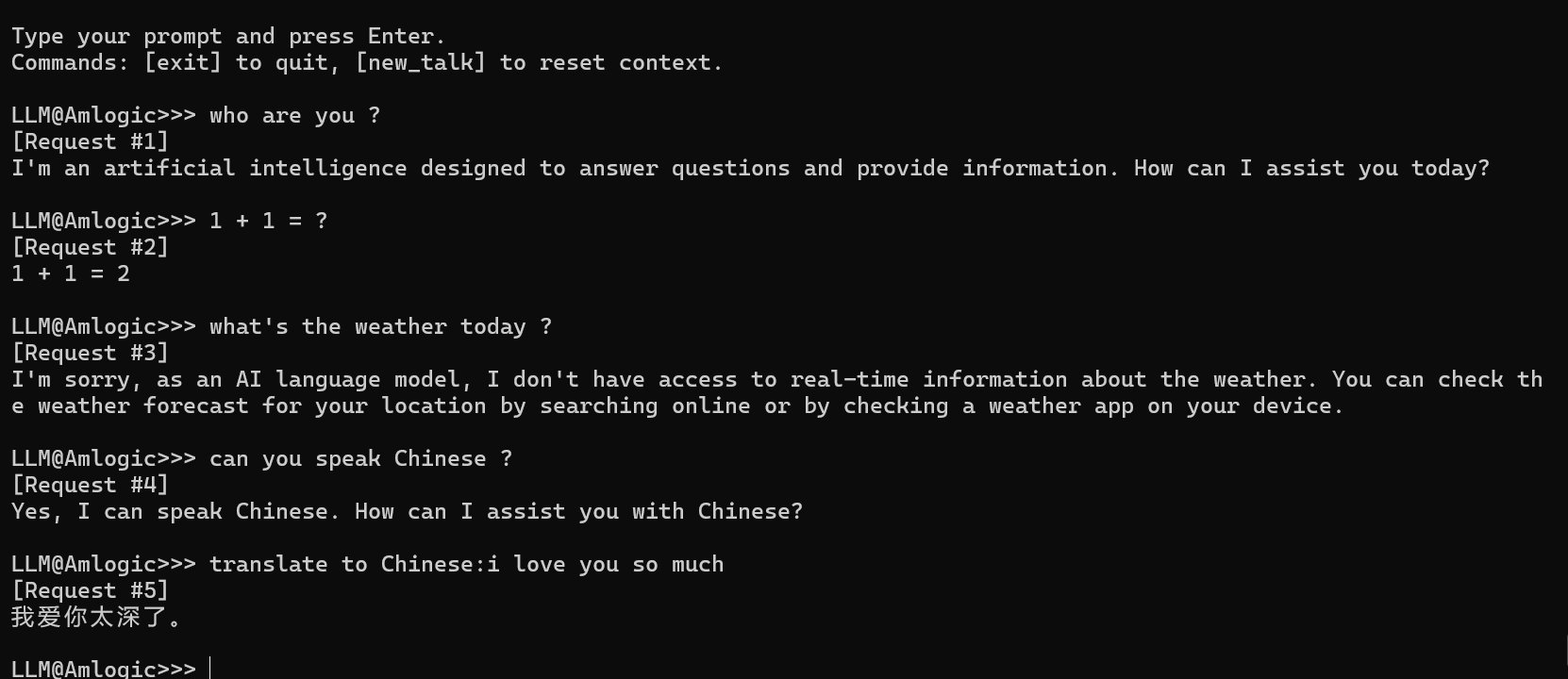
Interactive Commands: After the program starts, you enter an interactive interface that supports the following commands:
- Direct input: Enter text and press Enter, the model will generate a response (streaming output)
exit: Exit the programnew_talk: Clear conversation history and start a new conversationbreak: Interrupt the currently generating responseCtrl+C: Send interrupt signal
Result
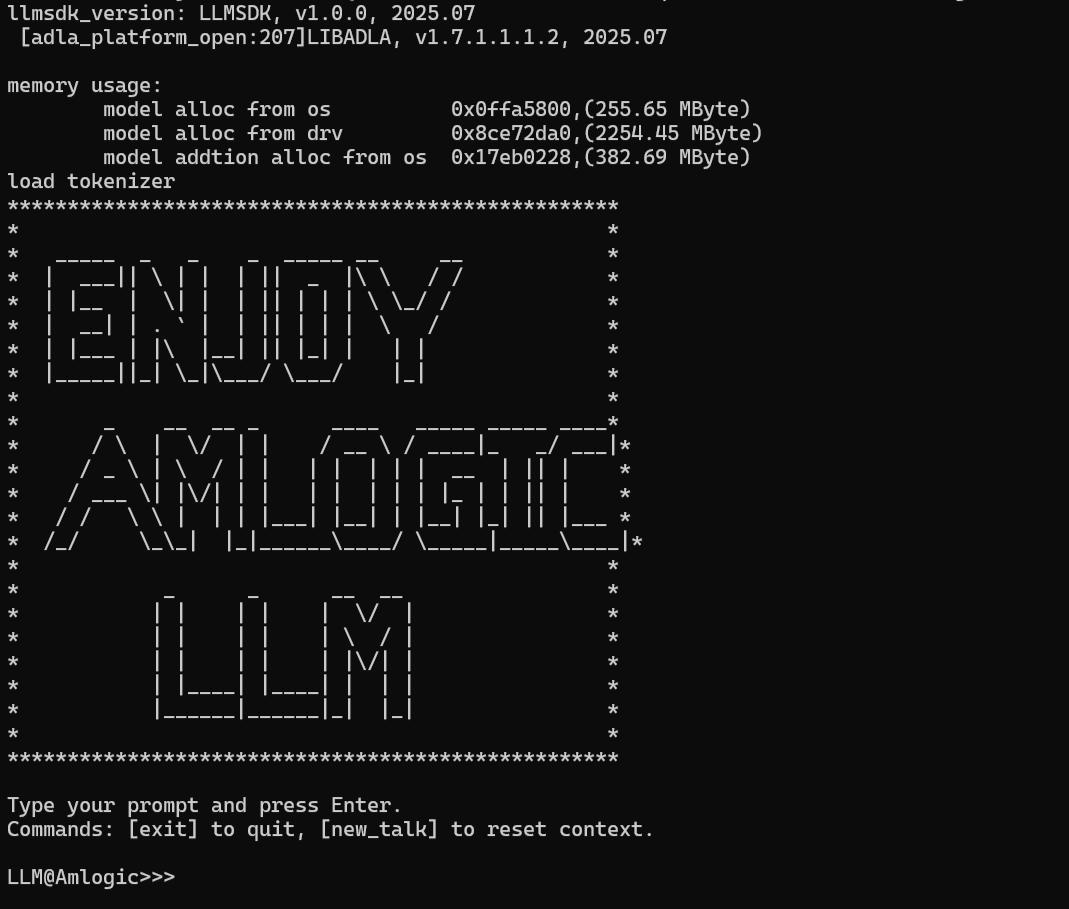
| Banner | Inference Result |
|---|---|
 |
 |